Enterprise Accounting vs. ERP: When Do You Actually Need to Upgrade?
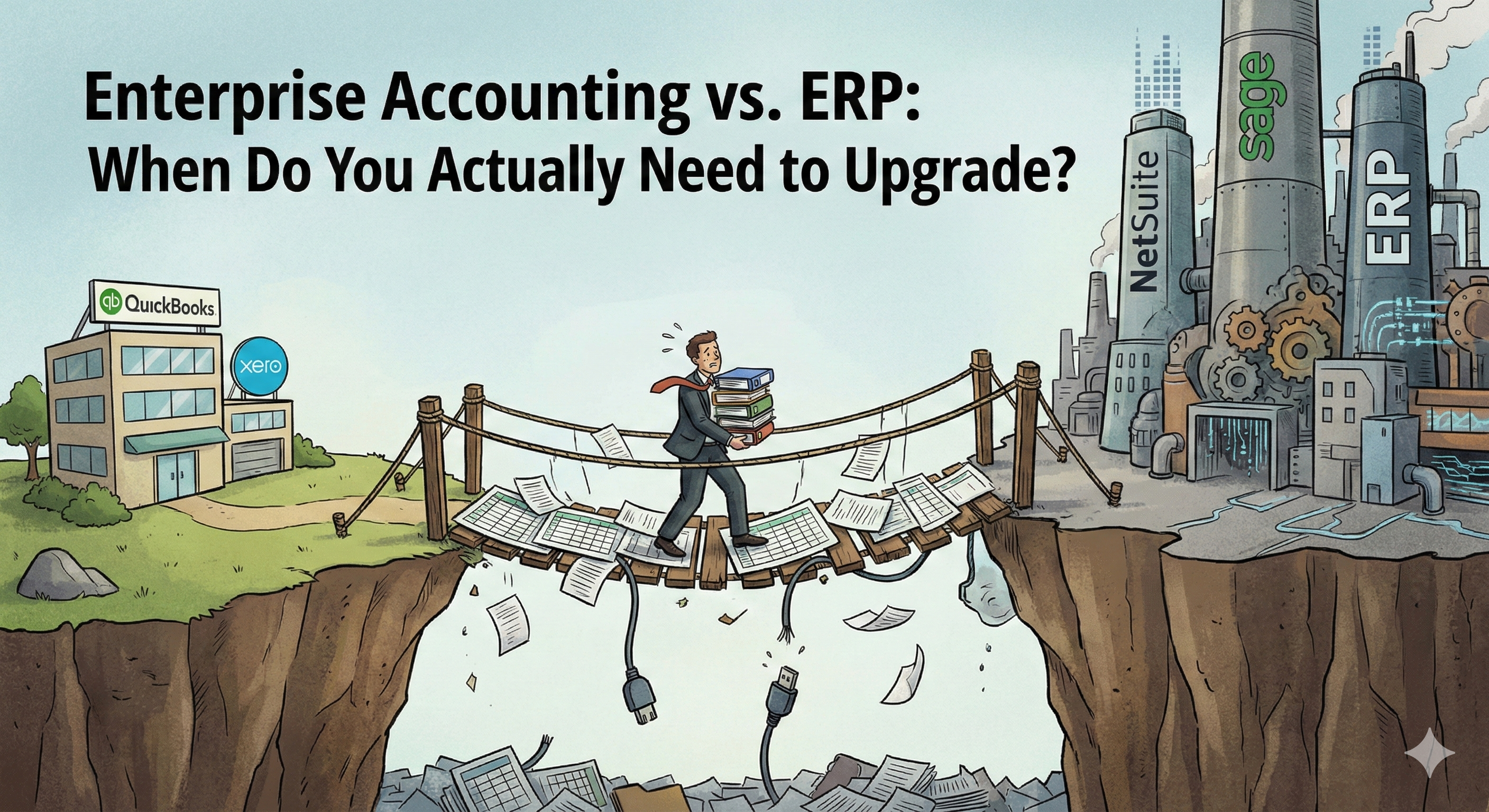
Every growing company eventually faces the question: Is it time to move beyond QuickBooks? The answer isn't as straightforward as vendors want you to believe. Here's the reality behind the upgrade decision—and how to avoid the costly mistakes that derail most implementations.
The Vendor vs. Reality Gap
Software vendors have a vested interest in convincing you that you need their product right now. ERP salespeople will tell you that you've "outgrown" QuickBooks the moment you hit $5M in revenue. Accounting software vendors will insist their platform can handle anything.
"I've seen companies spend $500K on an ERP they didn't need, and I've seen $100M companies running on QuickBooks with duct tape everywhere. The right answer depends entirely on your operational complexity, not your revenue." — Former NetSuite Implementation Consultant
The truth is that revenue alone is a terrible proxy for software needs. A $50M e-commerce company with simple operations might thrive on QuickBooks Online Advanced. A $10M manufacturer with complex inventory and multi-location needs might genuinely require a full ERP.
What Is an ERP (Really)?
Let's cut through the marketing. Enterprise Resource Planning (ERP) software integrates multiple business functions into a single system:
- Financial Management: General ledger, accounts payable/receivable, financial reporting
- Inventory Management: Stock levels, warehouse management, demand planning
- Order Management: Sales orders, purchase orders, fulfillment
- Manufacturing: Bills of materials, production scheduling, shop floor control
- CRM Integration: Customer data, sales pipeline (often as an add-on)
The Key Difference from Accounting Software
Accounting software like QuickBooks focuses primarily on financial record-keeping. ERPs focus on operational workflow—managing the processes that generate those financial records.
If you're manually entering data into QuickBooks after the fact, accounting software is probably fine. If you need systems that drive your operations in real-time, that's ERP territory.
The 4 Critical Features (That Actually Matter)
Forget the 200-feature comparison matrices. Here are the four capabilities that actually determine whether you need an ERP:
1. Multi-Entity Consolidation
What it means: Managing multiple companies, subsidiaries, or business units with consolidated financial reporting.
You need an ERP if: You have multiple legal entities, international operations requiring multi-currency, or complex intercompany transactions.
You don't need an ERP if: You're a single entity with straightforward operations, even if you have multiple "profit centers" or departments.
2. Real-Time Inventory Visibility
What it means: Knowing exactly what you have, where it is, and what's committed to orders—in real time, not after a monthly reconciliation.
You need an ERP if: You carry significant inventory across multiple locations, have complex fulfillment requirements, or inventory errors regularly cost you money.
You don't need an ERP if: You're a service business, have simple inventory needs that a basic system handles, or your margins are high enough that inventory inefficiency doesn't materially hurt you.
3. Integrated Order-to-Cash
What it means: Seamless flow from sales order → fulfillment → invoicing → payment without manual handoffs.
You need an ERP if: Manual handoffs between systems cause errors, delays customer invoicing, or require multiple people to manage.
You don't need an ERP if: Your order volume is manageable with current processes, or your business model doesn't involve physical product fulfillment.
4. Manufacturing/Production Planning
What it means: Managing bills of materials, production scheduling, work orders, and shop floor control.
You need an ERP if: You manufacture products and struggle with production planning, material requirements, or shop floor visibility.
You don't need an ERP if: You don't manufacture, or your manufacturing is simple enough that spreadsheets and basic tools handle it.
The "Gotchas" (Red Flags)
Before you sign that ERP contract, watch for these vendor tactics that lead to implementation disasters:
Red Flag #1: "You'll See ROI in 6 Months"
"Any vendor promising fast ROI is either lying or planning to cut corners on implementation. A realistic timeline for meaningful ROI is 18-24 months for a mid-market ERP implementation." — ERP Implementation Consultant, 15 years experience
ERP implementations are expensive, disruptive, and time-consuming. Vendors who promise quick wins are setting you up for disappointment—or rushing through an implementation that will haunt you for years.
Red Flag #2: Hiding the True Cost
The license fee is just the beginning. Real ERP costs include:
- Implementation services: Often 1.5-3x the license cost
- Data migration: More complex and costly than vendors admit
- Customizations: "Out of the box" rarely means what you think
- Training: Underestimated by almost everyone
- Ongoing support and maintenance: 15-22% of license cost annually
- Lost productivity: Your team will be slower for months
Ask for references from companies your size, in your industry, who implemented in the last 2 years. If a vendor can't provide them, walk away.
Red Flag #3: "You Can Always Customize It"
Customization is the siren song that wrecks ERP implementations. Every customization:
- Increases implementation time and cost
- Creates upgrade complications forever
- Reduces vendor support options
- Often breaks in unexpected ways
"The best ERP implementations are the ones that adapt the business to the software, not the other way around. Heavy customization is a red flag that you've chosen the wrong system." — Manufacturing Operations Consultant
Red Flag #4: No Clear Data Migration Plan
Ask the vendor: "Walk me through exactly how our QuickBooks data gets into your system." If the answer is vague or involves a lot of "it depends," you're looking at a data migration nightmare.
Historical data migration is where implementations go to die. Many companies have lost years of transaction history, customer records, or financial data during "routine" migrations.
Who Should Buy What? (The Segmentation)
Here's a practical framework based on real-world patterns:
Stick with QuickBooks Online (or Xero)
Revenue: Under $10M (or up to $50M for simple businesses)
Complexity: Single entity, service-based or simple product sales, no manufacturing, limited inventory
Signs it's working: Your accountant can close the books within a week of month-end, you're not drowning in manual data entry, integrations with other tools work well enough
Cost: $30-200/month
Upgrade to QuickBooks Online Advanced (or similar)
Revenue: $5M-$30M
Complexity: Growing transaction volume, need for more users, basic reporting needs, simple multi-location
Signs you need this: You're hitting user limits, need better reporting, or want some workflow automation without a full ERP
Cost: $200-500/month
Consider a "Lightweight" ERP (Acumatica, Sage Intacct, etc.)
Revenue: $10M-$100M
Complexity: Multi-entity, moderate inventory needs, growing operational complexity, need for departmental reporting
Signs you need this: Multi-entity consolidation is painful, inventory management is manual and error-prone, you're outgrowing QuickBooks but don't need full manufacturing capabilities
Cost: $1,000-5,000/month (plus implementation)
Full ERP (NetSuite, SAP Business One, Microsoft Dynamics)
Revenue: $25M+ (or manufacturing businesses at lower revenue)
Complexity: Manufacturing, complex supply chain, international operations, significant inventory, multiple entities
Signs you need this: You manufacture products and can't plan production effectively, supply chain visibility is a constant problem, you need real-time operational data across the business
Cost: $2,000-10,000+/month (plus significant implementation investment)
The "StackMatch" Solution
Still not sure where you fall? That's exactly why we built StackMatch.
Our AI-powered RFQ process helps you:
- Define your actual requirements—not what vendors want to sell you, but what your business actually needs
- Compare vendors objectively—using structured evaluation criteria, not marketing claims
- Get competing proposals—so you understand real pricing, not list prices
- Make data-driven decisions—with our evaluation frameworks that cut through vendor noise
The right system for your business depends on your operational complexity, growth trajectory, and team capabilities—not revenue benchmarks or vendor sales quotas.
Stop guessing. Start with a structured evaluation.
Key Takeaways
- Revenue is a poor proxy for software needs—operational complexity matters more
- Four features determine ERP necessity: multi-entity, real-time inventory, integrated order-to-cash, and manufacturing
- Watch for red flags: unrealistic ROI promises, hidden costs, excessive customization, and vague data migration plans
- Choose based on complexity, not vendor pressure or arbitrary revenue thresholds
- Get competing proposals before committing to any platform
The companies that succeed at this decision are the ones who take time to define their actual requirements before talking to vendors. The ones who fail are the ones who let vendors define the conversation.
Don't be the company that spends $500K on an ERP they didn't need—or the one that waits too long and loses millions to operational inefficiency. Get the right system for where you are and where you're going.
Last updated: January 30, 2026