The Shelfware Paradox: Why 50% of Enterprise Software Goes Unused
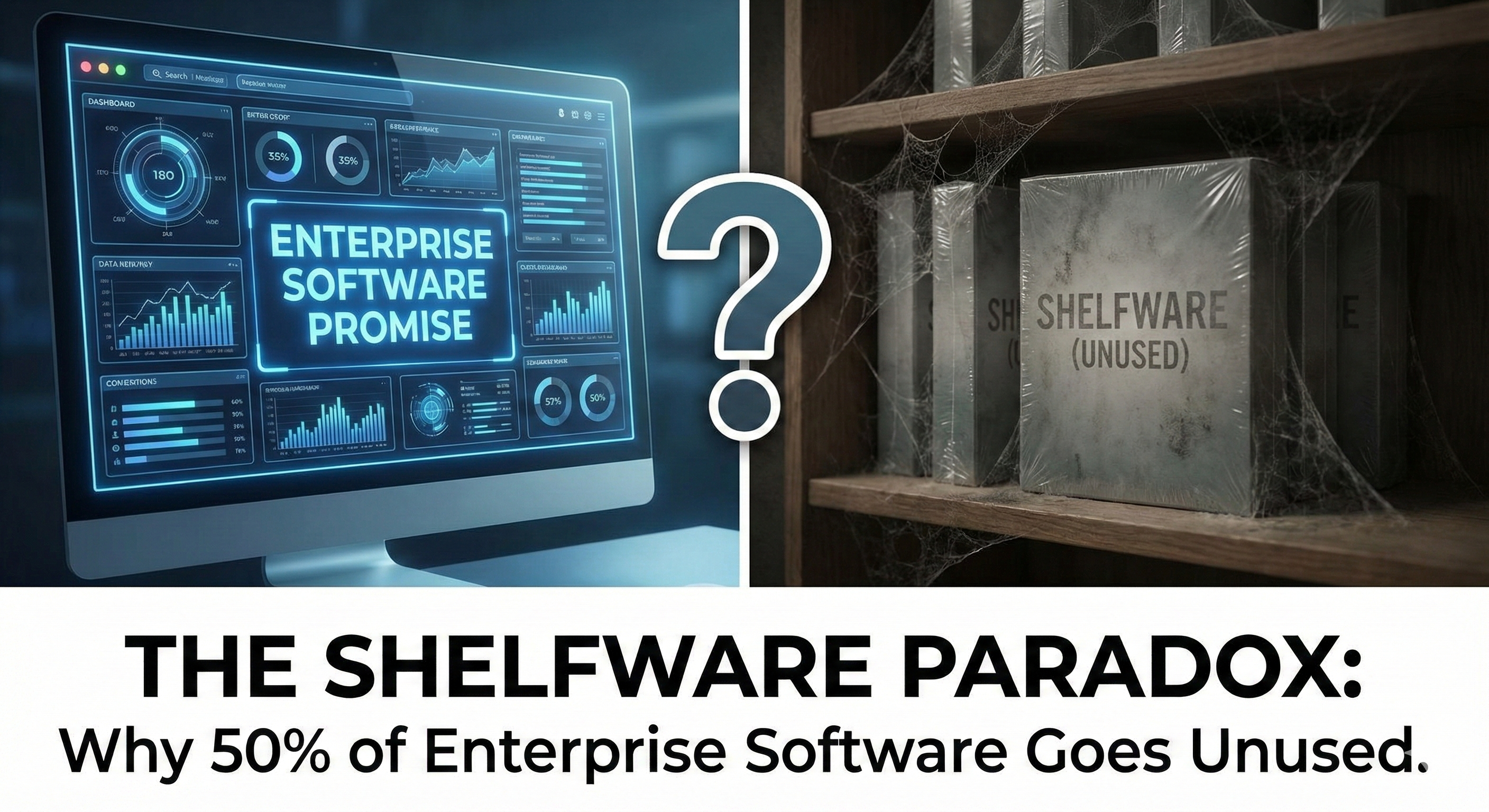
I've been in the trenches of enterprise software for 15 years now, and there's one metric that haunts me more than any other: 50% of enterprise software licenses go completely unused.
Let that sink in for a moment.
Companies are collectively burning billions of dollars on software that literally no one touches. And the saddest part? They keep doing it, year after year, because they keep falling for the same traps.
Today, I want to break down why this happens and, more importantly, what separates software that actually gets adopted from software that becomes expensive digital dust.
The 3 Levels of User Sophistication You're Probably Ignoring
Here's the fundamental mistake I see companies make: they buy software for the user they wish they had, not the user they actually have.
Let me paint three pictures for you.
Level 1: The Spreadsheet Survivor (Small Teams, 1-20 Users)
These folks live in Excel. They've built byzantine formulas that would make a NASA engineer weep. They don't want "enterprise-grade" anything—they want something that doesn't break their workflow.
What actually wins here:
- Single-click exports to Excel
- Mobile-first dashboards
- Dead-simple onboarding (no IT department needed)
- Pricing they can expense without approval
Consultant Note: When your user's technical support is "googling it" or "calling their nephew who's good with computers," your software better be bulletproof simple.
Level 2: The Growing Pains Middle (20-200 Users)
This is the danger zone. These companies have outgrown spreadsheets but haven't developed the processes to handle enterprise software. They're the most likely to buy shelfware because they're aspirational buyers.
What actually wins here:
- Role-based access (without needing a consultant to configure)
- Built-in workflows for common scenarios
- Self-service reporting
- Integration with the 3-5 tools they already use daily
Consultant Note: These buyers get dazzled by demos showing features they'll never use. The vendor shows them the enterprise dashboard with 47 widgets, and they imagine themselves as some kind of data-driven genius. Reality check: they'll use 3 of those widgets, max.
Level 3: The Enterprise Machinery (200+ Users)
Finally, we're talking real enterprise software needs. But even here, I see massive waste.
What actually wins here:
- Audit trails that satisfy compliance
- API-first architecture
- Custom workflow builders
- Dedicated success managers (who actually answer emails)
Consultant Note: Enterprise buyers often over-buy based on "future needs." I've seen companies buy 1,000-seat licenses "for growth" and still be at 200 users three years later. Buy for today, option for tomorrow.
The "Demo vs. Reality" Gap That's Bleeding You Dry
Let me tell you about a pattern I've seen at least a hundred times:
The Demo: Slick sales engineer walks through a perfectly configured instance. Everything works. Data flows beautifully. Reports generate in milliseconds. "Look how easy this is!"
The Reality (6 Months Later):
- 40% of features require custom configuration nobody mentioned
- The "easy" integrations require a $50K middleware purchase
- That beautiful dashboard? Nobody knows how to create reports
- The mobile app exists, technically, but crashes when you need it most
This gap exists because vendors optimize for demos, not for daily use. They train their sales engineers to hit emotional triggers, not practical ones.
The 5 Features That Actually Drive Adoption
After watching dozens of implementations succeed (and fail), here are the features that correlate with actual usage—not purchase orders:
1. Time-to-First-Value Under 10 Minutes
If a new user can't accomplish something meaningful in their first 10 minutes, you've lost them. Period.
Questions to ask:
- Can I invite a new user and have them doing real work within one morning?
- Is there a guided first experience or just a blank screen?
- Do we need IT involvement for basic setup?
2. Search That Actually Works
You'd be amazed how many enterprise tools have search functions that are essentially decorative. If users can't find what they need in 3 seconds, they're back to email or Slack.
Questions to ask:
- Does search cover all content types (docs, messages, records)?
- Can I search by natural language or do I need exact terms?
- Are results actually relevant or just keyword matches?
3. Mobile Experience That Isn't an Afterthought
"We have a mobile app" is not the same as "Our mobile experience is genuinely useful." Most enterprise mobile apps are just permission slips to approve things.
Questions to ask:
- Can I complete core workflows on mobile, or just view things?
- Does it work offline for basic tasks?
- Is it the same codebase or a companion app with half the features?
4. Integrations That Don't Require a PhD
"We integrate with everything" usually means "We have an API that your developers can figure out." Real integration means data flows without human intervention.
Questions to ask:
- Are the integrations pre-built for our specific tools?
- Do they require ongoing maintenance?
- What happens when our other tools update—do integrations break?
5. Admin Panel That Non-Technical People Can Use
The fastest path to shelfware is software that requires a dedicated admin. If your HR manager can't add a new employee without submitting a ticket, that software is on borrowed time.
Questions to ask:
- Can our team lead manage their own group settings?
- Is the admin interface separate from the user interface, or integrated?
- Are there safeguards preventing well-meaning admins from breaking things?
The Adoption Checklist I Actually Use
Before any client signs a contract, I make them walk through this checklist:
Week 1 Reality Check:
- Can 80% of users log in and do something useful without training?
- Does core functionality work on their actual devices/browsers?
- Are there any features we're paying for that zero users will ever touch?
Month 1 Reality Check:
- Have we identified internal champions who actually enjoy using it?
- Are usage metrics trending up or flatlined after initial curiosity?
- Have we discovered any "gotchas" that weren't in the demo?
Quarter 1 Reality Check:
- Is the tool replacing old processes, or just adding to them?
- Can we articulate specific value delivered (not just "it's nice to have")?
- Would users complain if we removed access tomorrow?
If you can't check these boxes, you're on the path to shelfware.
Warning Signs the Software Will Become Shelfware
From my experience, these red flags predict unused software with alarming accuracy:
During Sales:
- Vendor can't provide references at your company size
- "Yes" to every requirement without clarifying questions
- Demo environment is clearly not their actual product
- ROI calculations include benefits you didn't ask about
- Heavy discount pressure at month/quarter end
During Implementation:
- Consultants required for basic configuration
- "Best practices" that don't match how your team works
- Training sessions focus on edge cases, not daily workflows
- Go-live date keeps slipping but no one seems concerned
- Change management becomes code for "convincing people to use it"
After Go-Live:
- Users creating workarounds with email/spreadsheets
- Support tickets for basic functionality
- Champions become cynical
- Executive sponsor stops attending status meetings
- Renewal conversations start with "let's discuss our usage levels"
The StackMatch Solution
The sunk cost fallacy is a dangerous drug. It convinces you to keep throwing good money at bad software because "we've already invested so much."
The only cure is to pick the right tool from Day 1—a tool that matches your team's actual technical maturity, not the maturity you wish they had.
Traditional software procurement takes 121 days and involves countless cold calls, generic demos, and vendor-controlled information. StackMatch flips this model.
How StackMatch prevents shelfware:
- TurboTax-style RFP creation - Build a professional RFP in 15 minutes (not 6 hours) using our AI-powered wizard across 29+ B2B software categories
- Vendors compete for your business - Post your RFP to our marketplace and receive competing proposals with transparent pricing
- Your requirements, your terms - Vendors respond to YOUR workflow needs, not the other way around
Stop getting dazzled by sales engineers who promise the moon. Start with your actual requirements, then let vendors prove they can meet them.
Last updated: January 30, 2026