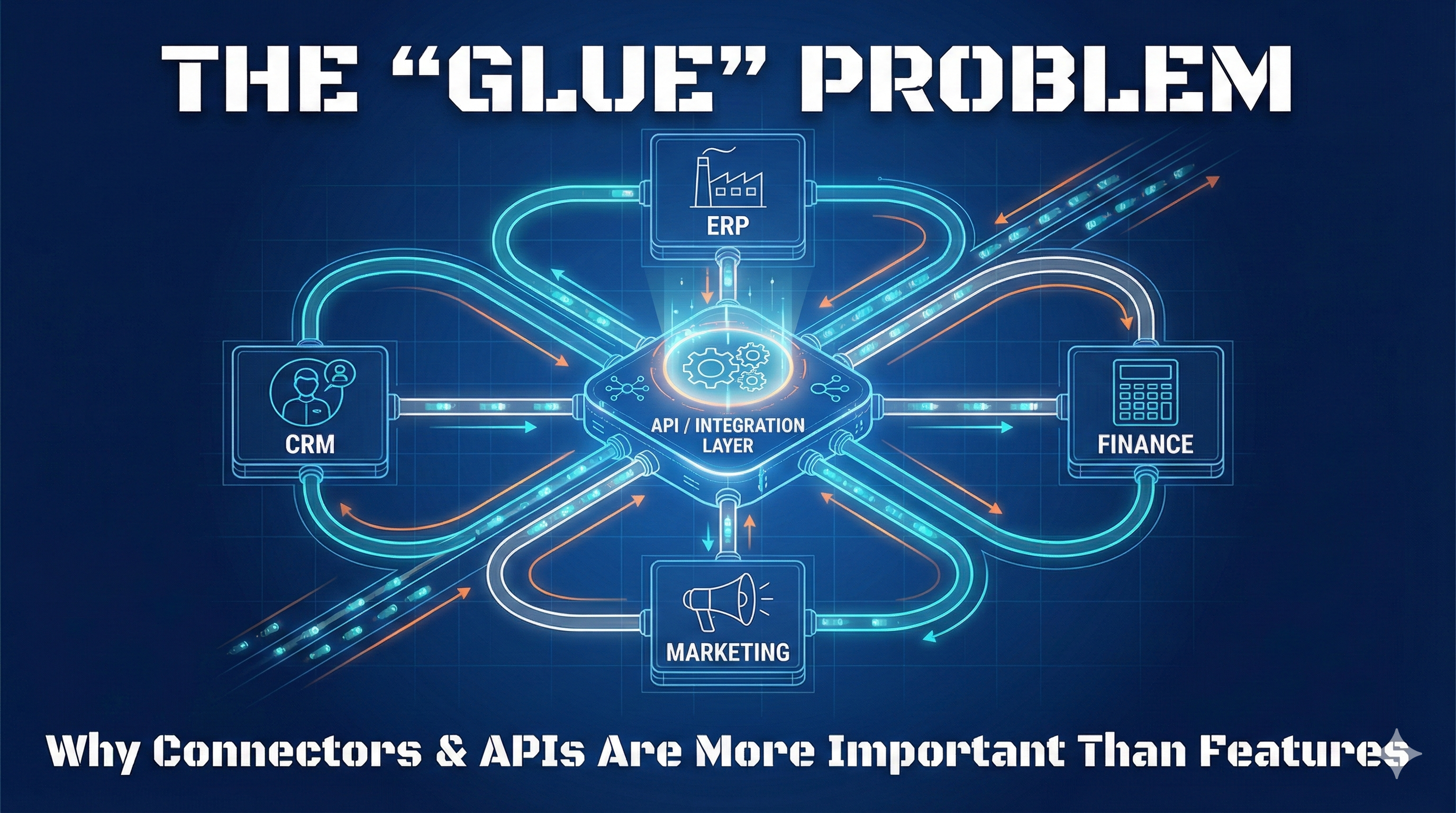
The "Glue" Problem: Why Connectors and APIs Matter More Than Features
There is a specific kind of silence that falls over a boardroom when the Head of Operations admits, "We have to download the CSV from the CRM, format it in Excel, and then manually upload it to the ERP."
You just spent six months and six figures implementing a "best-in-class" software stack. You were promised a dashboard that looks like the cockpit of a spaceship. Instead, you have created a $50,000-a-year swivel-chair nightmare where your highest-paid employees are acting as human copy-paste machines.
Here is the brutal reality of modern SaaS: A mediocre tool that talks perfectly to your accounting software is infinitely better than a premium tool that lives on an island.
If you are evaluating software based solely on the feature list—and ignoring the "glue" that holds it together—you aren't building a tech stack. You are building a silo farm.
The Vendor vs. Reality Gap
If you have sat through a SaaS demo recently, you know the drill. The account executive shows you a "Unified View of the Customer." Data flows effortlessly from Marketing to Sales to Finance. Charts update in real-time. It looks like magic.
Here is what they aren't showing you:
- The "Seamless Integration" is actually a third-party plugin that costs an extra $400/month.
- The API documentation hasn't been updated since 2019.
- The "Real-Time Sync" actually runs once every 24 hours at midnight.
Vendors sell the destination (a unified business). But the journey (integration) is where the car usually breaks down. They want you to focus on the flashy UI and the AI-generated reports. They rely on you assuming that "of course, it connects to everything."
Do not assume. In the world of enterprise software integration, assumption is the mother of all implementation failures.
Pro Tip: Never accept "Yes, we integrate with that" as an answer. Ask to see the documentation. Ask if it is native, via a partner, or requires middleware. If the salesperson hesitates or says "I'll have to ask the technical team," that is a red flag the size of a billboard.
The Core Definition: What We Mean by "The Glue"
For the non-technical stakeholder, let's strip away the jargon. When we talk about "The Glue," we are strictly talking about how data moves from System A to System B without human intervention.
API (Application Programming Interface): The socket on the back of the software that allows other software to plug in.
Native Integration: A pre-built bridge made by the vendor (e.g., "Click here to connect to Slack").
iPaaS (Integration Platform as a Service): Third-party "glue factories" like Zapier, Make, or Workato that sit in the middle and translate languages between apps.
Webhooks: A system that sends a notification to other apps the second something happens (rather than waiting for the other app to ask).
The 5 Critical Integration Features That Actually Matter
Forget the dashboard colors. Forget the mobile app for a second. When you are evaluating the "Glue" potential of a new tool, these are the only metrics that matter.
1. Open and Documented API Endpoints
Does the software allow you to Read (GET), Write (POST), Update (PUT), and Delete (DELETE) data programmatically?
The Dealbreaker: Many "Open APIs" are read-only. This means you can pull data out for reporting, but you can't push data in from another system. This renders the tool useless for automation.
2. Robust Webhooks
You do not want your server polling (asking) the software "Do we have a new order?" every 5 minutes. You want the software to shout "New Order!" the millisecond it happens.
Why it matters: API connectors without webhooks result in data lag. In inventory management or customer support, a 15-minute lag is the difference between a satisfied customer and a double-sold item.
3. Rate Limits and Throttling
Every API has a speed limit. Vendors limit how many times you can "hit" their server to protect performance.
The Trap: A limit of 100 calls per minute sounds fine—until you try to do a bulk update of your 50,000-person email list and the connection times out after 2% completion.
Pro Tip: Look for "Bulk Endpoints." This allows you to update 100 records in a single API call, rather than making 100 separate calls. If a tool lacks bulk endpoints, it will crumble under enterprise software integration loads.
4. Native Integration Library
How many pre-built connectors does the vendor offer? More importantly, do they cover your critical stack? A tool with 500 integrations is useless if none of them connect to NetSuite or your industry-specific ERP.
5. Error Handling and Logging
When an integration fails (and it will), what happens? Does the system retry? Alert you? Log the failed record so you can fix it? Silent failures are the worst kind—your data diverges for weeks before anyone notices.
The "Gotchas" (Red Flags)
You've found a tool with great features. The price is right. But the integration capabilities are hiding some nasty surprises.
The "Premium" Connector Tax: The software is $50/user, but access to the API or the Salesforce connector requires the "Enterprise" tier at $200/user with a $10k annual minimum.
The "Zapier Crutch": If a vendor's primary integration strategy is "Just use Zapier," be careful. While iPaaS platforms are powerful, relying on them for core infrastructure can get expensive and fragile. You end up paying for the software plus thousands of "tasks" on the integration platform.
The Field Mapping Nightmare: The tool says it integrates with your CRM, but it only maps the standard fields (Name, Email). It refuses to map your crucial "Customer Type" or "Contract Date" custom fields.
Who Should Buy What: Sizing Your Integration Strategy
Not everyone needs a custom-coded middleware solution. Here is how to size your "Glue" strategy.
Small Business (The "Plug-and-Play" Tier)
Strategy: Stick to tools with massive libraries of Native Integrations.
The Stack: You want tools that have "One-Click" connections to Google Workspace, Slack, and QuickBooks.
Avoid: Anything that requires a developer to set up. If you can't connect it in an afternoon, you don't have the resources to maintain it.
Mid-Market (The "iPaaS" Tier)
Strategy: You have complex workflows, but no engineering team dedicated to internal tools.
The Stack: Lean heavily on iPaaS platforms (Make, Workato, Tray.io). You need software with robust APIs that allow these platforms to orchestrate complex logic (e.g., "If deal > $10k, alert VP; if < $10k, email Manager").
Focus: Reliability and error handling.
Enterprise (The "API First" Tier)
Strategy: Data governance and security are paramount.
The Stack: You need tools that offer "Headless" options or API-first architecture. You will likely build custom middleware to ensure data isn't just moving, but is being cleaned, validated, and logged for compliance.
Focus: Rate limits, uptime SLAs, and sandbox environments for testing integrations before they break production.
How StackMatch Helps You Avoid Integration Nightmares
The most painful realization in software buying is discovering that your two most critical tools refuse to talk to each other—usually about two weeks after you signed the contract.
You can spend 40 hours reading API documentation and scouring forums to see if "Tool A" plays nice with "Tool B."
Or you can let StackMatch help.
Our AI-powered RFQ system doesn't just match you based on features. We help you build requirements that include integration capabilities from day one. When you create an RFQ on StackMatch:
- 29 category-specific blueprints include integration requirements tailored to each software type
- Vendor proposals must address how they'll connect to your existing stack
- Comparison tools let you evaluate vendors on their ecosystem, not just their feature list
Stop building silo farms. Start building tech stacks that actually stack.
Create Your RFQ and Get Competing Proposals →
References
- Industry research on SaaS integration challenges from Gartner, Forrester, and enterprise software practitioners
- iPaaS market analysis and platform comparisons
- Real-world integration patterns observed across enterprise software implementations
Note: Specific figures used in this article (e.g., pricing examples, rate limits) represent common industry scenarios and may vary by vendor.
Last updated: January 30, 2026