The True Cost of Ownership: What the Proposal Isn't Telling You
There is a very specific type of silence that fills a boardroom when a CFO asks why a software project is 40% over budget three months in.
It's not because the software doesn't work. It's not even because the license fee changed. It's because the initial proposal—the one everyone signed off on with high fives—was a fantasy document. You didn't budget for the "Implementation Multiplier," the data cleansing nightmare, or the fact that "Standard Support" actually means "we reply in 72 hours via email."
Most software budgets are blown before the contract is even signed because buyers focus on the price tag, not the invoice.
The Vendor vs. Reality Gap
If you look at a standard SaaS proposal, you will see a clean, predictable annual license fee. It looks manageable. It looks scalable. The vendor's slide deck promises "Plug-and-Play" deployment and "Seamless Integration" with your current stack.
Here is the reality: Enterprise software is rarely plug-and-play. It is more like "Plug, Pray, and Pay for Consultants."
Vendors are incentivized to keep the barrier to entry (the license fee) low to get you to sign. Once you are locked in, the real costs emerge. We see companies consistently underestimate the total financial impact of a new tool because they trust the sales engineer's "best-case scenario" timeline.
The "Implementation Multiplier" Rule
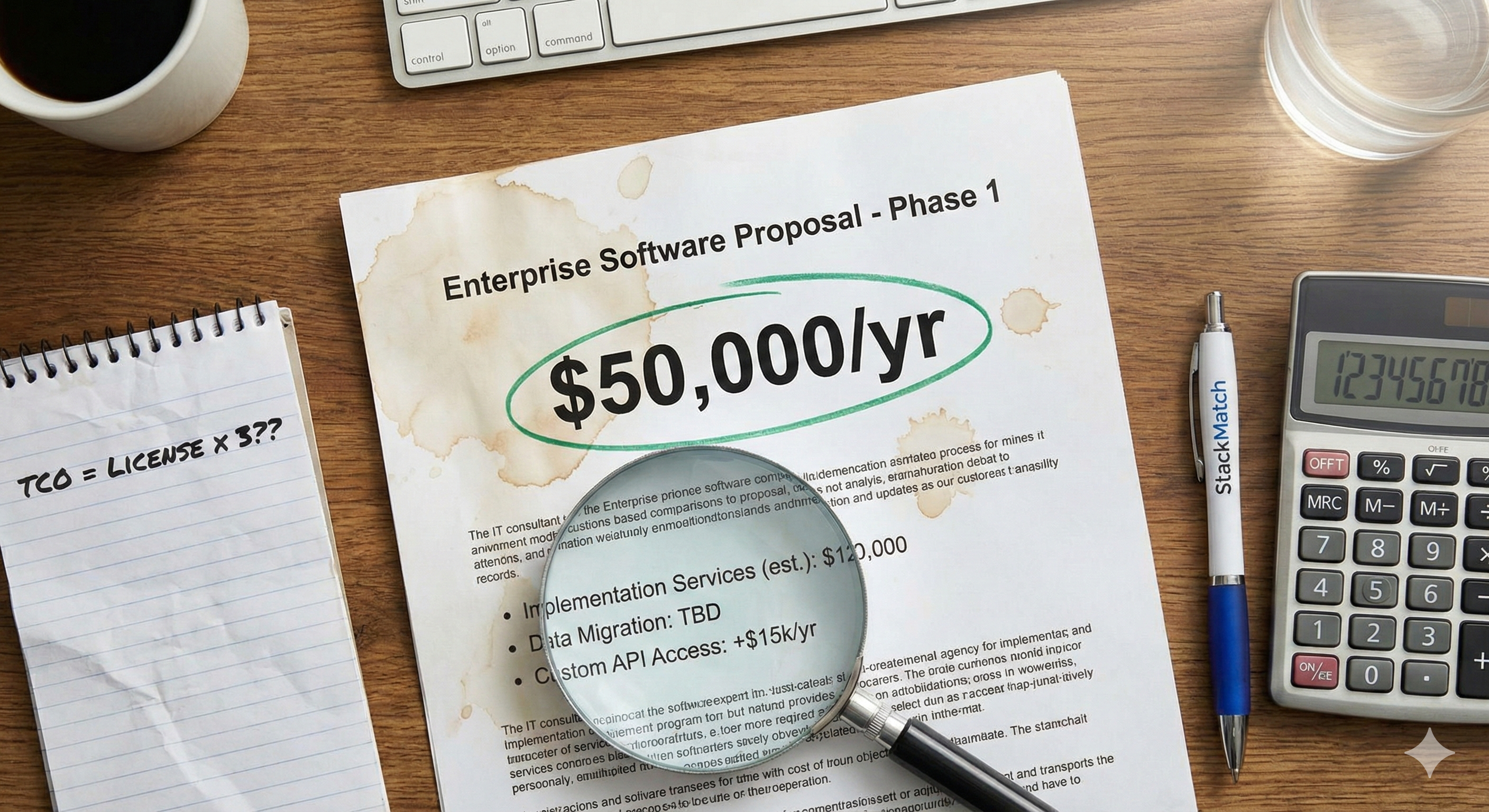
When budgeting for complex software (ERP, CRM, specialized HRIS), the license fee is just the tip of the iceberg. Expect to pay 1.5x to 3x the annual license cost in services alone.
- License Cost: $50,000
- Real Year 1 Cost: $125,000 - $200,000
If you haven't budgeted for the multiplier, you aren't ready to buy.
What is TCO? (The Core Definition)
For the uninitiated, Total Cost of Ownership (TCO) isn't just what you pay to buy the software; it's what you pay to keep it.
In the consumer world, buying a car is the purchase price. The TCO includes insurance, gas, tires, and oil changes. In the software world, TCO is the sum of:
- Acquisition Costs (Licenses, hardware)
- Implementation Costs (Configuration, migration, training)
- Operating Costs (Support, maintenance, upgrades, admin salaries)
If you are only looking at line item #1, you are flying blind.
The 3 Critical Cost Drivers (That Actually Matter)
Ignore the "free onboarding" webinars. When you are calculating the true cost of a new system, these are the three areas where money bleeds out of the project.
1. Data Migration & Hygiene
This is the single biggest budget killer. Vendors will quote you for a "standard data import." Do not believe this. "Standard" implies your current data is clean, formatted correctly, and maps perfectly to their fields. It never does.
You will spend dozens of billable hours (or hundreds of your internal team's hours) scrubbing duplicates, reformatting CSVs, and fixing broken hierarchies.
The Cost: Usually billed at $200 - $300/hour for solution architects.
2. Custom Reporting & API Calls
The "Out of the Box" dashboards are rarely enough for a mature business. You will need custom reports.
The Trap: Many vendors charge extra for "Advanced Analytics" modules or limit the number of API calls you can make to other systems.
The Reality: If you need to pull data out of their system into a BI tool like Tableau or PowerBI, check if they charge for API throughput. We have seen clients hit with $10k overage fees just for syncing their own data.
3. Change Management & Training
Software doesn't fail because code breaks; it fails because people refuse to use it. If the interface is clunky, you have to pay for extensive training. If you don't pay for training, adoption drops to zero, and you are paying $50k a year for a digital paperweight.
The Hidden Cost: The "Admin" salary. Does this tool require a full-time administrator? If you have to hire a Salesforce Admin at $90k/year to run the tool, that salary is part of your TCO.
The "Sandbox" Fee
Always ask: "Does the license include a full Sandbox environment for testing?"
Many enterprise vendors charge 15-20% of the license fee just to give you a safe place to test updates before they break your live system. Do not accept this as an add-on; negotiate it into the base price.
The "Gotchas" (Red Flags in Your Contract)
When reviewing the contract, look for these specific clauses. They are designed to extract value after you have lost leverage.
The "Teaser" Rate Renewal
The first year is discounted by 40%. The contract states that renewal prices can increase by "standard list price adjustments." We have seen renewals jump 25% year-over-year because the initial discount expired.
Fix: Cap your renewal increase at 3-5% annually in writing.
Storage Limits
A common trick in CRM and ERP contracts. You get 10GB of storage. Sounds like a lot? It isn't. Once you attach PDFs, contracts, and images, you hit that limit in six months. The cost for "Additional Storage" is often priced at a 5,000% markup compared to AWS or Google Drive.
Fix: Negotiate storage increases before signing.
"Gold" vs. "Platinum" Support
If "Standard" support offers a 48-hour response time, it is useless for mission-critical software. You are effectively forced to buy the Premium tier just to get a phone number to call when the server goes down.
Fix: Add 20% to the license fee for premium support immediately in your budget.
Who Should Buy What (The Segmentation)
Your TCO tolerance depends entirely on your stage of growth.
Small Business (Under 50 Employees)
Strategy: Avoid "Implementation Multipliers" at all costs.
What to buy: Self-serve SaaS. If it requires a "Sales Engineer" to set up, you can't afford it.
The Goal: $0 Implementation cost. You should be able to set it up over a weekend.
Mid-Market (50 to 500 Employees)
Strategy: Contain the Scope.
What to buy: Configurable off-the-shelf software.
The Goal: You need integration, but you should not be building custom code. If a vendor says "we can build a custom module for that," say no. Custom modules break during updates and cost a fortune to maintain. Stick to the core features.
Enterprise (500 Plus Employees)
Strategy: Total Customization Control.
What to buy: Platforms (Salesforce, NetSuite, SAP).
The Goal: You are paying for the ecosystem. Your TCO will be high (3x license), but you are paying for scalability and security. Ensure you have internal resources (hired staff) dedicated to managing the vendor, or the vendor will manage you.
Stop Guessing at TCO
You can try to build a TCO spreadsheet yourself, guessing at data migration hours and hoping the sales rep was honest about storage fees. Or you can make smarter decisions from the start.
StackMatch's AI-powered RFQ creation captures your requirements through natural conversation—including the hidden cost factors vendors don't want you to ask about. Our 29 category blueprints include TCO-focused questions that surface implementation multipliers, support tier realities, and integration costs before you sign.
Ready to create RFQs that uncover the real price?
Create your AI-powered RFQ in 5 minutes →
Or browse 500+ verified B2B software vendors with transparent capability profiles.